



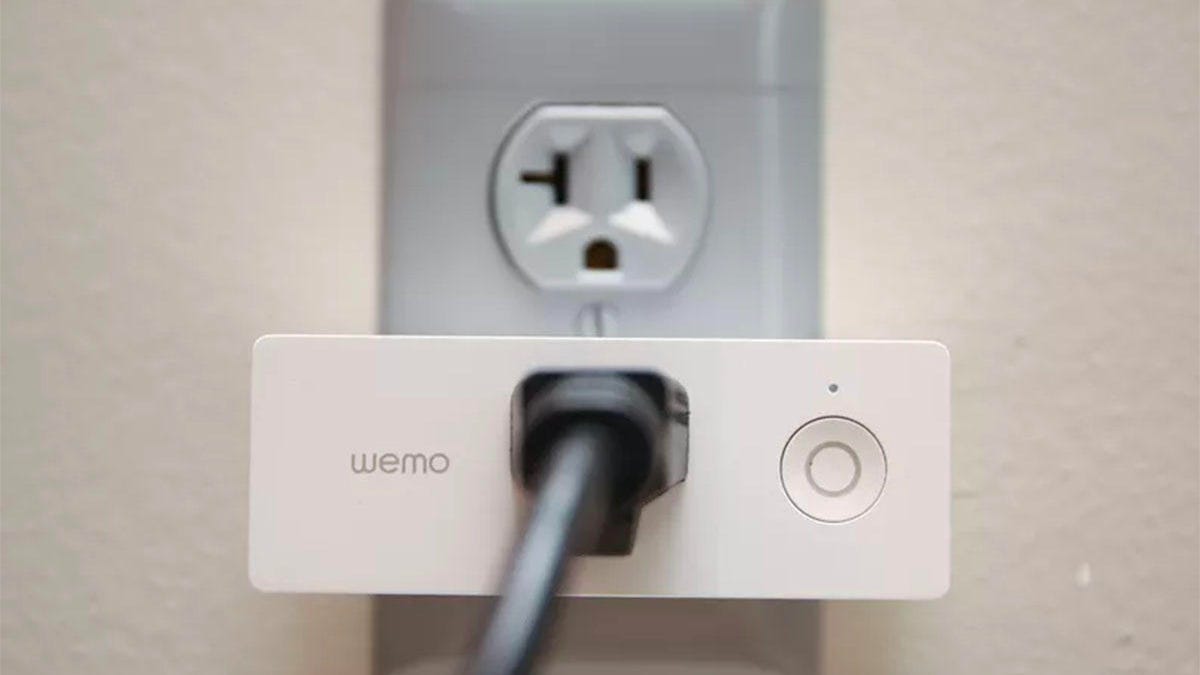
Belkin is ending support for most of its Wemo smart home devices, a move that will shut down the Wemo app and cloud services and significantly reduce the functionality of many popular smart plugs, switches and sensors.
The change takes effect at the end of January, so you have only a few days to migrate compatible devices or start planning for replacements.
You can see the full list of affected devices on Belkin’s support page. Once support ends, features that rely on the cloud — including remote access, schedules and integrations with Amazon Alexa and Google Assistant — will stop working. Those Wemo devices will no longer function as “smart” products, even if the hardware still powers on.
Since Belkin will also stop releasing firmware updates, affected devices won’t receive bug fixes or security improvements.
Belkin’s decision highlights a growing issue in the smart home world: Devices can stop being “smart” long before the hardware wears out.
Apple Home users get a limited lifeline
The Wemo Video Doorbell (pictured) is another Belkin device that’s losing support.
There is one major exception. Some Wemo devices that are compatible with Apple Home and HomeKit can continue working after the Wemo app shuts down, but only if you migrate them before the end-of-support deadline.
“Since the Wemo app will be ending, it’s very important that users switch to Apple Home/HomeKit by the end of the month,” says CNET smart home editor Tyler Lacoma. “Belkin has a long-term partnership with Apple, so for compatible devices, that transition is usually pretty simple.”
However, Lacoma warns that older Wemo products may not support Apple Home at all.
“If someone has a Wemo device that’s not on the list of Apple-compatible products, it won’t have much functionality left,” he says. “It won’t get firmware updates to fix bugs or improve security, so at that point, it makes sense to factory reset it and recycle it before the end of the month, then look for a replacement.”
Belkin’s Wemo Dimmer (pictured), released in 2017, is also getting sunset.
Belkin has published a list of Wemo devices that support Apple HomeKit, and users need to complete the setup process before the Wemo app is retired. The following products will continue to work through Apple HomeKit:
- Wemo Smart Light Switch 3-Way (WLS0403, WLS0503)
- Wemo Wi-Fi Smart Light Switch with Dimmer (WDS060)
- Wemo Smart Light Switch (WLS040)
- Wemo HomeKit Bridge (F7C064)
- Wemo Dimmer Light Switch (F7C059)
- Wemo Mini Plugin Switch (F7C063)
- Wemo Outdoor Plug (WSP090)
- Wemo Mini Smart Plug (WSP080)
- Wemo Stage Smart Scene Controller (WSC010)
- Wemo Smart Plug with Thread (WSP100)
- Wemo Smart Video Doorbell (WDC010)
What about refunds?
Belkin says customers with Wemo devices that are still under warranty when support ends may be eligible for a partial refund. You can find the warranty period for each device in the list of devices on Belkin’s support page linked above. Refund requests won’t be processed until after the end-of-support date, and eligibility will depend on the product and purchase date.
Because many Wemo products were released years ago, most people should not expect to qualify for a refund. We’ve reached out to Belkin to ask whether other products will lose support in the near future. We haven’t heard back at the time of publishing.
The Wemo app, which once let you set up things like the dimmer light switch, won’t be functional anymore.
What Wemo owners should do now
If you own Wemo devices, the clock is ticking. Here’s what to do next:
- Check whether your Wemo products support Apple Home and migrate them as soon as possible.
- If your devices don’t support Apple Home, plan to replace them before support ends.
- Consider recycling unsupported devices once they lose smart functionality.
- Remove the Wemo app after services shut down to avoid confusion.
If you’re shopping for replacements, this is a good time to look at CNET’s list of the best smart plugs and review our guide on what to do when smart home devices lose support.
Read the full article here