



When I’m asked about smart home gadgets, I typically suggest people start at their front door, such as with a video doorbell or smart lock. Smart locks, in particular, are an obvious first step (and only step, if you prefer) into smart home tech, and they can benefit nearly anyone with a front door.
But many people without a smart lock in their lives still don’t know what it is, how it works or why they should spend money on one. It’s time for a clear explanation of this important home technology, and why I’m such a fan.
Best Smart Locks of 2026: Excellent Door Upgrades
These powerful, connected locks are useful every day. We’ve tested the latest to find the best.
Smart lock basics
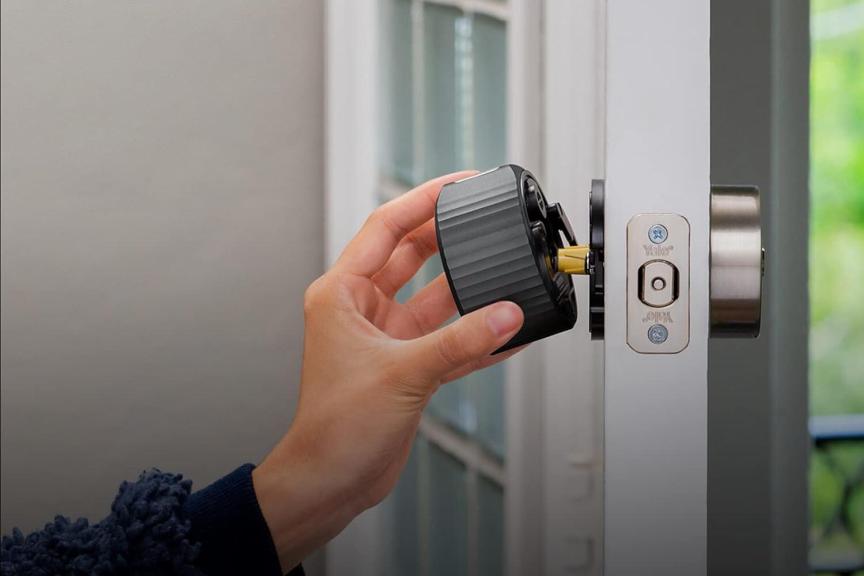
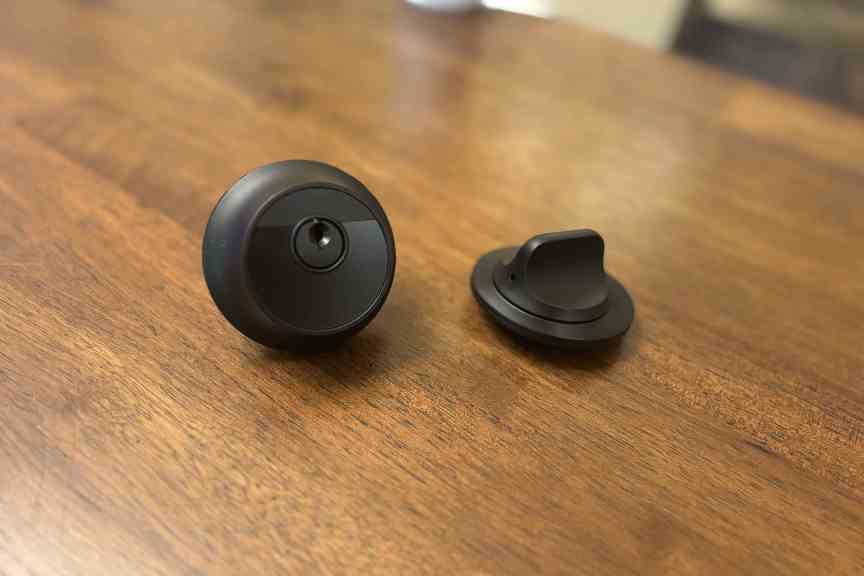
Retrofits typically only require replacing the thumb turn.
Amazon
A smart lock replaces the standard deadbolt found on nearly any front door (and many other doors) in a residential building. Many models replace the deadbolt entirely, which tends to allow extra features like keypads and fingerprint readers. Other types replace only the indoor thumb turn, the knob used to move the deadbolt — a smart lock style called a retrofit — which is often cheaper and easier to install. Either way, the door handle below the lock is usually left untouched.
Once set up, the smart lock connects to your Wi-Fi router and lets you control it from your phone using a corresponding app. This allows you to operate the lock remotely, anywhere you can connect to the internet (like at work, or on vacation). That ability comes with several valuable tricks.
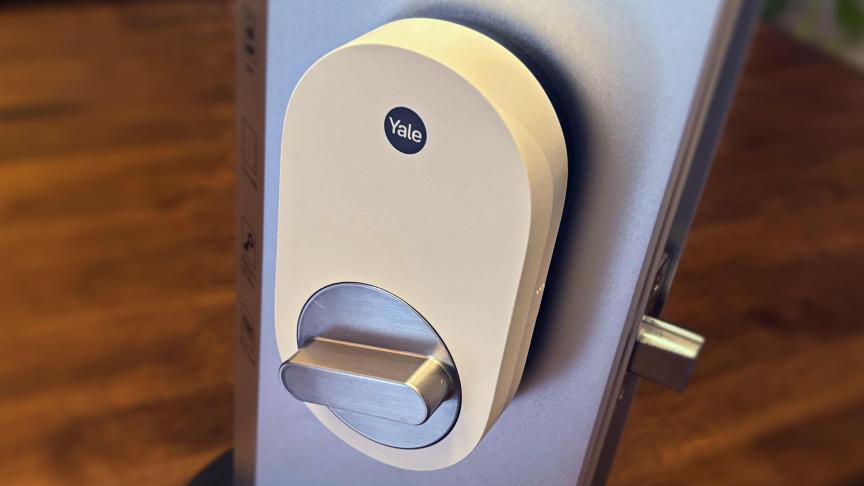
With remote locking and unlocking, you don’t have to be at home to let a pet sitter or guest inside. Most smart lock apps also let you create temporary passcodes or digital passkeys for guests, which grant access and then auto-delete after the timeframe ends.
These locks can also send alerts to your phone, notifying you when the door is locked or unlocked. You can review a history of locking/unlocking in the app, or even set the door to automatically lock after a set amount of time, so no one ever forgets to lock the door again. Those features are also handy for keeping track of someone in an aging-in-place situation.
That’s only the start of what a high-quality smart lock can do.
Smart lock access methods
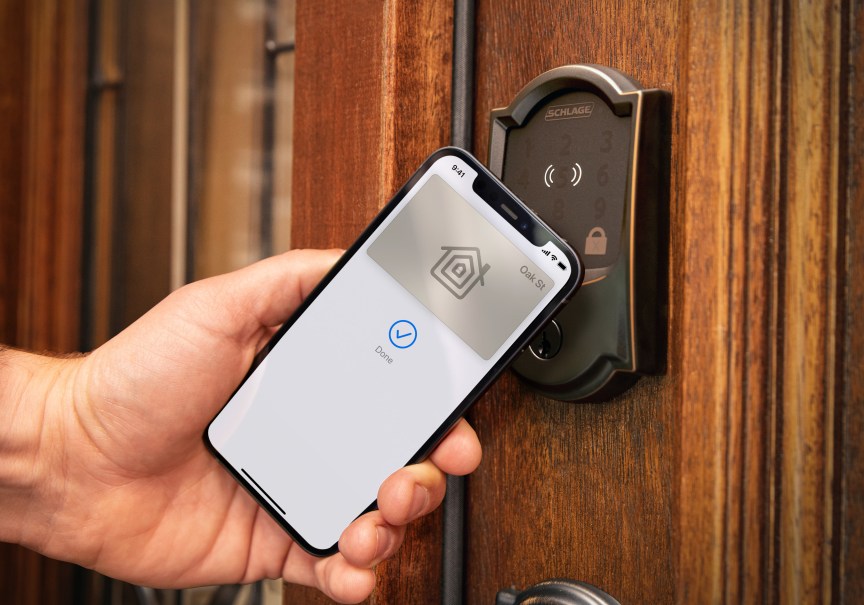
Another one of my favorite things about smart locks is the different access methods they open up (heh), some of which may be far better for your daily life than the classic key.
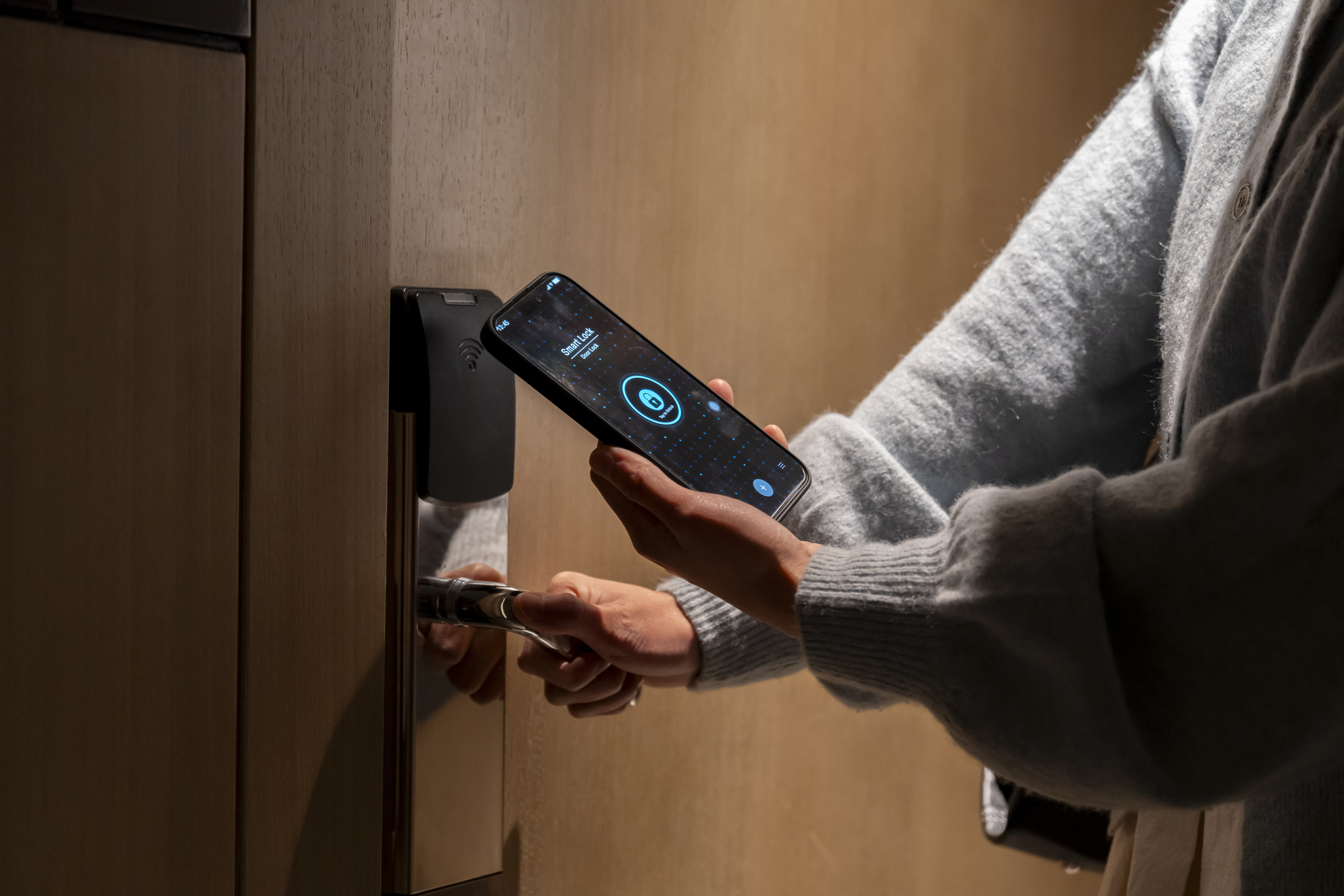
Most locks not only have app controls but can sense when an authenticated mobile device is near, and automatically unlock with a swipe. That’s getting both easier and more common now that the Aliro protocol has been established this year, helping smart locks connect to digital wallets (Google, Apple, Samsung and so on) that you probably already use, making pass management very easy.
Other locks focus on fingerprint scanners, a biometric option that I found highly accurate and quite speedy in all my testing. It takes only a couple of minutes to add your family’s fingerprints, and then you don’t have to worry about people losing their keys or needing access to the home when you aren’t around.
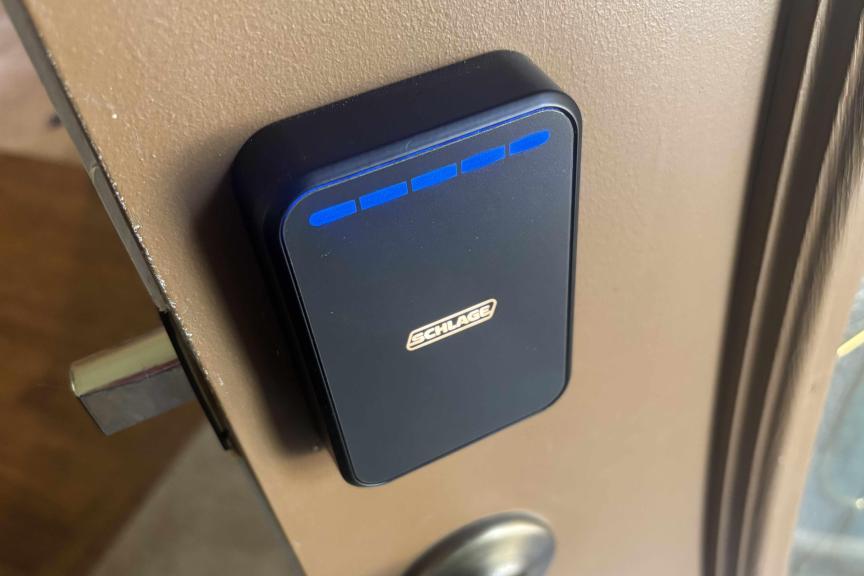
Some people may prefer to stick with the classic keypad, another common component of smart locks. Keypads let you change and swap codes and issue temporary codes to workers or visitors, which isn’t as easy to manage with a fingerprint sensor. Both work well in my testing, but keypads take longer to set up and the different designs may confuse some first-time users.
A number of smart locks combine all these access options and more, so you can choose your preferred method. Most include an emergency key slot or standard key slot, too. However, some of the most advanced models I’ve tested skip old-school keys entirely, so users don’t have to worry about anyone picking the lock.
Smart lock installation and compatibility
Don’t worry about how difficult a smart lock is to install. As I mentioned, they’ll work with most standard deadbolt designs, and are typically a DIY project. You shouldn’t need more than a sturdy screwdriver for a full deadbolt replacement.
Most locks have alternative options for slightly different deadbolt placements. Take a look at my guide on how to install a smart lock to learn – well, everything you need to know.
Important note: Renters should also check their lease and see what their landlord or property management company says. Typically, installing a new deadbolt is a step too far for tenants, although a retrofit may be more permissible. But landlords usually prefer to handle anything related to locks themselves. There are even smart locks made specifically for them.
Battery life and smart locks
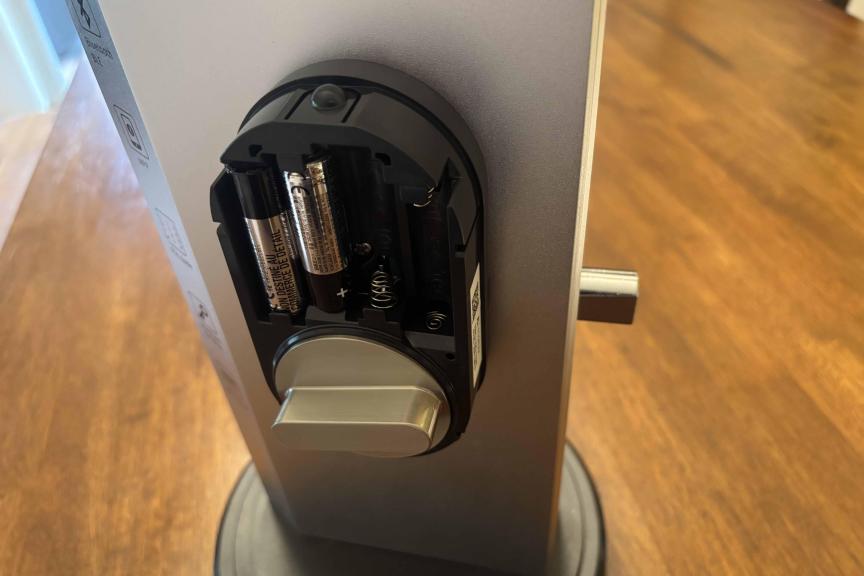
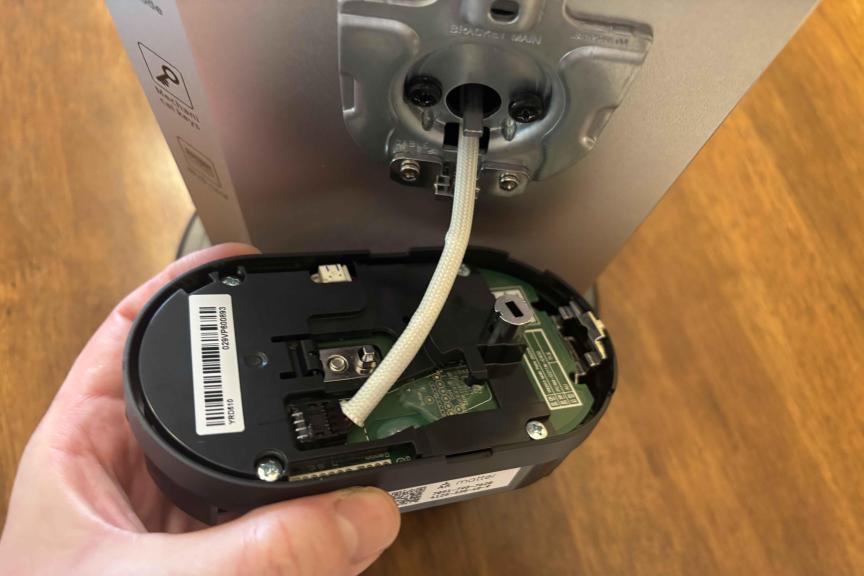
Batteries are always installed on the inside housing, typically AAs.
Tyler Lacoma/CNET
How do smart locks accomplish all their tricks and maintain their Wi-Fi connections? The lock’s indoor housing also houses the battery. Some locks run on two to four AA batteries. Others use proprietary rechargeable batteries that you need to remove and recharge from time to time.
Either way, these batteries typically last at least a few months and up to a year, depending on how often the door is activated. Apps generally give you warnings or alerts when battery power is low. Some models are designed to last longer, like Lockly’s Lyro Lasta, which packs in eight batteries and adds a sleep mode to help the lock last up to three years.
Smart locks include emergency ways to charge up and unlock the deadbolt when necessary, like if your Wi-Fi is down or the batteries suddenly fail.
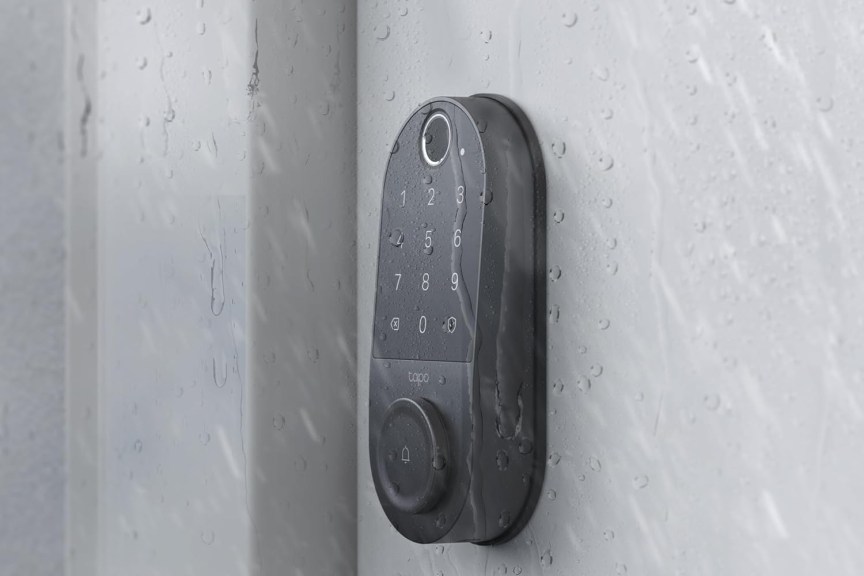
Best Budget Smart Locks for 2026: Affordable and Tough
After testing smart locks from all the top brands, I’ve found the best picks for you and your wallet.
Smart lock costs
So, I’ve praised this home add-on pretty thoroughly, but how much will something like this cost? Smart locks aren’t especially cheap, but they offer a wide range of prices and models, so most buyers can find an option that works for them.
If you’re focused on your budget and want to save money, I suggest looking for a retrofit model for your current deadbolt. Basic retrofits only cost around $70 to $100, as you can see on my best affordable smart locks list. You can even find some full deadbolt replacements for around $100, such as from Wyze, but these are rarer.
In the $150 to $200 range, smart locks start gaining many more capabilities, including advanced access options, better durability ratings and more compact sizes. I suggest most homeowners start here if they’re looking for a worthwhile upgrade with plenty of useful capabilities.
At $250 and above, you start paying more for the top-performing smart locks with the most high-tech features. One of my top picks, for example, is the Yale Assure Lock 2 at $260. There’s also the “invisible” Level Lock Pro at $349 and the futuristic, glowing panel of the Schlage Sense Pro at $396.
Best smart lock brands
Head over to my smart lock buying guide for much more information on picking a lock that’s right for you, and what to consider when buying. Many companies offer smart locks, so you’ll have your pick of options. Some of my favorites that I’ve personally tested are Schlage, Yale, Level and August, all reliable brands with a history in locking technologies.
Since many locks are compatible with the smart home standard Matter, you don’t always have to use the brand’s own app to control them. Locks tend to work well with Apple Home, Google Home, Alexa and SmartThings, although you find your control options more limited when it comes to complex settings.
Now you know everything important about smart locks, so when are you going to get your own? My guide to the best smart locks is one of the best spots to get started.

With degrees in Business Management, Literature and Technical Writing, Tyler takes every opportunity to play with the latest AI technology, push smart devices to their limits and occasionally throw cameras off his roof, all to find the best devices to trust in your life. He always checks with the renters (and pets) in his life to see what smart products can work for everyone, in every living situation.
Living in beautiful Bend, Oregon gives Tyler plenty of opportunities to test the latest tech in every kind of weather and temperature. But when not at work, he can be found hiking the trails, trying out a new food recipe for his loved ones, keeping up on his favorite reading, or gaming with good friends.
See full bio
Read the full article here