



Bambu Lab H3C
Multi-nozzle printing to the max
Pros & Cons
-
Large build area allows you to maximize the nine tool heads -
Being able to use different nozzle and filament sizes is amazing -
The built-in material heater is excellent
-
The standard acceleration often causes print errors -
This is a very complicated machine with many failure points
Multicolor 3D printing has been around for many years. Like all technologies, manufacturers are constantly looking for ways to push it further than ever before. Bambu Lab announced today the H3C, a large-format 3D printer that uses nine separate nozzles to print not only different colors or types, but also different-sized filaments. It’s designed to allow you to mix and match as you see fit, expanding your creative options beyond the standard.
The Bambu Lab H3C starts at $2,500 and comes with the nine-filament system and Automated Material System. I’ve spent the last few weeks using it, and while I haven’t finished my review yet, I already have quite a few thoughts.
Easy to set up
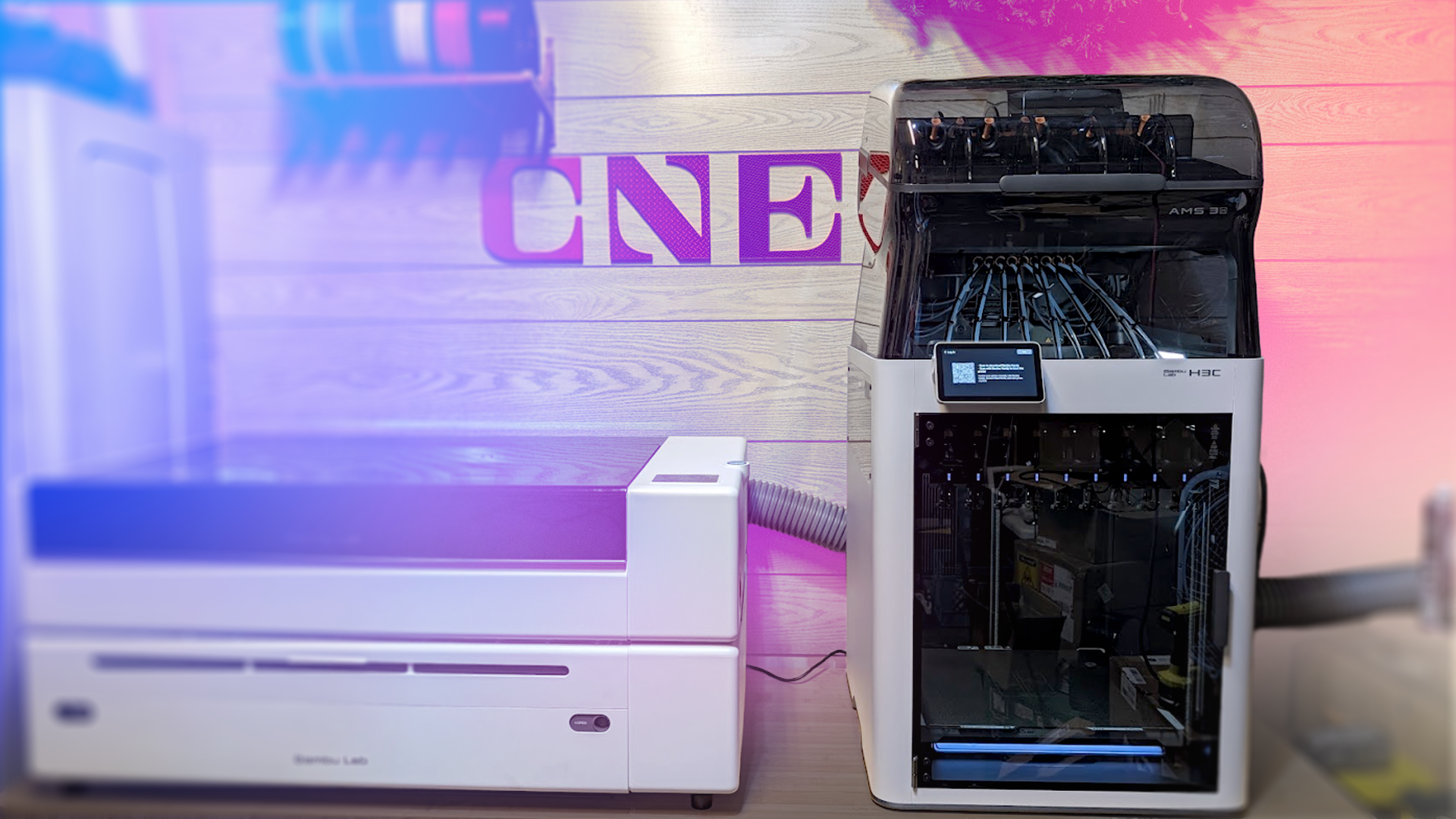
This is not a small machine by any measure. I originally had it on my workbench, but the H3C sits so tall that opening the lid and loading the filament was arduous, even for a 6-foot-1 person like myself. Bambu Lab also sent me a metal rolling cart, sold separately, that lowers the machine to a usable height. That said, it still stands 63 inches tall on the cart, so yeah, it’s a big’un.
Despite its size and complex design, setting it up was simple. I would recommend having a second person around to do it, as it’s cumbersome — but not difficult to plug in all the parts. The AMS 3 that sits atop the machine is different from most of the best 3D printers because the H3C requires it operate. It’s not a separate add-on but an integral part of the machine.
H3C 3D printer main specifications
| Build Volume | 330x320x335mm |
| Printer dimensions | 493x571x587mm |
| Hot end | All metal, x 9 |
| Nozzle | 0.4mm (Optional 0.2, 0.6, 0.8) stainless steel x 9 |
| Hotend max temperature | 350C |
| Print bed max temperature | 120C |
| Max speed | 1,400mm/s toolhead speed |
| Supported material | PLA, PETG, ABS, ASA, Carbon Fiber infused, TPU, plus many more (1.75mm and 2.85mm available) |
| Build plate camera | Yes (top camera optional) |
| Color support | 9-nozzle AMS (allows for mixed color) |
| Storage | USB-A, internal memory |
| Slicer | Bambu Studio (Other slicers compatible) |
You can tell from every metric that the H3C is designed to be a Bambu Lab flagship. It has all the top-of-the-line hardware, including a heatbed that can reach 120C and an optional but very cool bird’s-eye camera to monitor prints from above. It’s fast, too, with a top toolhead speed of 1,400 mm/s. Of course, that isn’t the print speed, but it does show you the type of speed it could reach if you pushed it to the max.
Printing at high speed does have some disadvantages, though. I have had several print failures on tall prints where the supports or purge tower have fallen due to accidental touches or vibration. The H3C moves fast, prints fast and fails fast if you aren’t careful. Most of those failures occurred at 125% speed, but that’s the standard setting I use for large prints on other machines, and they handle it just fine.
Don’t call it an INDX (even if it is almost exactly the same)
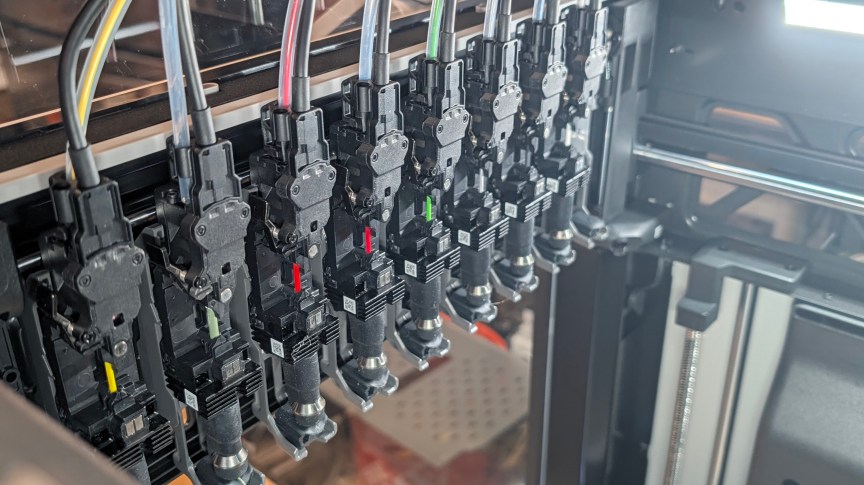
Bambu calls its nine-nozzle system, which heats using conductive heating, the Swaptek system. This isn’t to be confused with another nine-nozzle system you may have heard of: INDX, which uses conductive heating. INDX and Swaptek are extremely similar in execution but differ in a few areas. INDX is purely mechanical, whereas Bambu says its Swaptek system supplies data and power to each tool, allowing the nozzles to start heating faster than those in a standard INDX system — in around 6 seconds per nozzle.
In practice, there isn’t a huge difference between what I’m seeing on the H3C and the Prusa Core One + INDX in terms of speed. The Core One has the advantage that it’s calibrated to avoid a purge tower, and it doesn’t purge as much waste as the Swaptek system. The H3C has its own neat tricks, though: Not only can it print with different nozzle sizes and materials, but it can also print with materials of different diameters.
More options than a diner menu
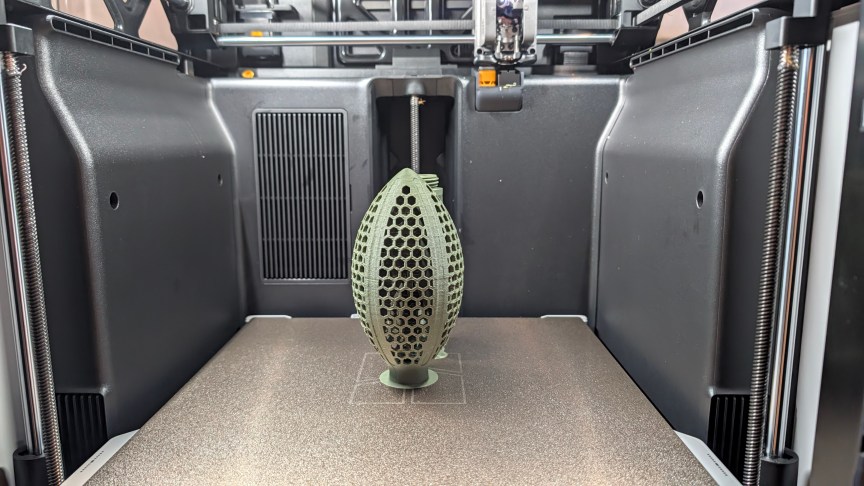
One of the biggest roadblocks with printing TPU — the very soft, rubbery material that 3D-printed shoes are made from — through an AMS is that it’s too soft to push through the AMS feeder. To combat this, you have to use a harder TPU that isn’t nearly as flexible as you would need for shoes or things that bounce. Adding toolheads capable of printing 2.85mm-diameter materials lets Bambu create TPU that’s more flexible after melting but thicker and easier to feed in the AMS. It works really well.
And it doesn’t stop at TPU, either. You can use 2.85mm PLA with a 0.8mm nozzle to print the infill of a model, while using a 0.2mm nozzle and 1.7mm PLA to print the detailed outer walls. It gives you so many options. The AMS even has two material slots with active heating chambers, so you can print materials that need to be warm and dry, along with other, more shelf-stable materials.
Print quality is excellent (as it should be)
Given the $2,500 price and the H3C’s flagship status, it would be shocking if the print quality were bad. All of the models that didn’t fail due to purge tower collapse look great, and the nine separate nozzles make light work of just about any color project. I love watching this machine print as it swaps across the nozzles at blistering speeds.
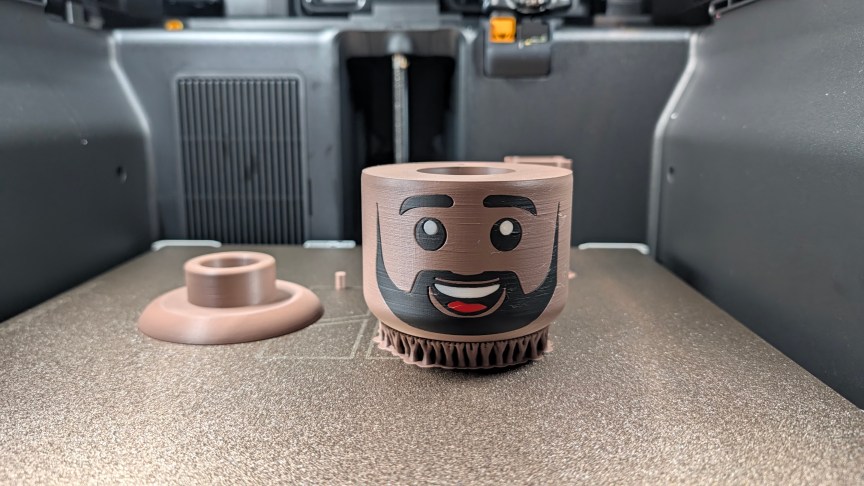
Some of them did fail, though, and the H3C was good at catching the errors, pausing the print and letting me know. I chose to keep one of them going despite the failed tower, and it turned out fine, though a little damaged. I had some fun 3D printing my scanned head at life size, using silver for my greying beard — and I love the way it came out.
The CNET test print wasn’t nearly as good as the one the H2C produced, which pretty much maxed out every test, but it wasn’t the worst either. Accuracy was good, and despite the printer’s speed, ringing was kept to a minimum. It struggled on the 0.2mm tolerance test, but it did well on bridging and overhangs, showing that its temperature control is excellent. I still have more of these to do before I’m ready to give a complete score, but so far, I’m happy with the result.
The H3C is a high-end 3D printer designed for end-game users
In video games, there’s a concept called endgame content: the harder challenges you tackle after completing most of the story. It’s not for the faint of heart. The H3C is endgame content. It isn’t hard to use, but it’s designed for someone who has gone as far as possible with machines such as the P2S and A1 combos of the world. If you’re looking to go beyond what you thought you could do with a 3D printer, the H3C is the machine to get you there.
Swaptek, INDX and multi-toolhead printers are here to stay. And, like all 3D printers, they can come in many sizes and budgets. The Core One INDX is smaller but cheaper, but the H3C has a lot of options right out of the box to make some incredibly complex models. We live in interesting times and the landscape can only get better.

See full bio
Read the full article here