



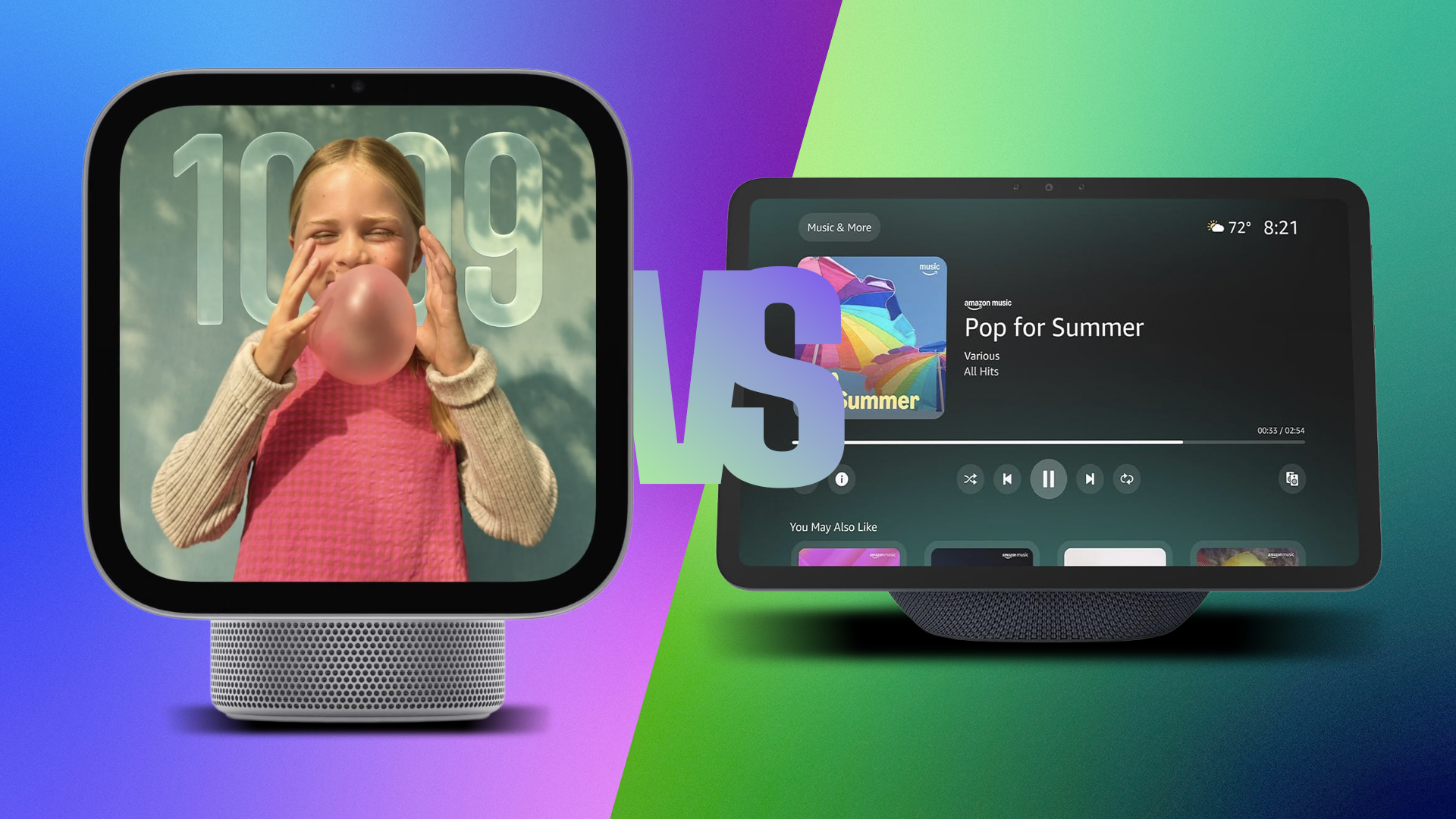
The HomeView, announced Tuesday and available on Nov. 13, is Apple’s first-ever smart home display and a new way to control smart home devices or interact with Siri AI. But Apple has significant catching-up to do in this space, because its top competitors have been in the game for a while.
I’ve been testing Amazon’s Echo Show smart displays since they first launched in 2017, and started trying out Google Nest Hubs – originally the Google Home Hub – in 2018. Since then, both brands have released multiple smart speaker models, adding and ditching various features. (And sometimes canceling entire lines – anyone remember the Facebook Portal?)
That means the stylish HomeView has a chance to learn from past smart display mistakes and differentiate itself in buyers’ eyes, including the Echo Show 11 and the 10-inch Google Nest Hub Max I use at home. Now that we have details and I’ve tried out the Apple HomeView in person, I have several thoughts for anyone considering which smart display to buy.
Nuts and bolts: Apple’s stylish display faces a challenge
 Apple
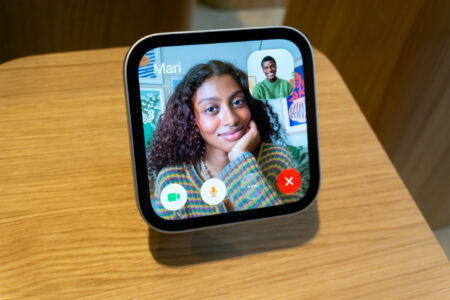
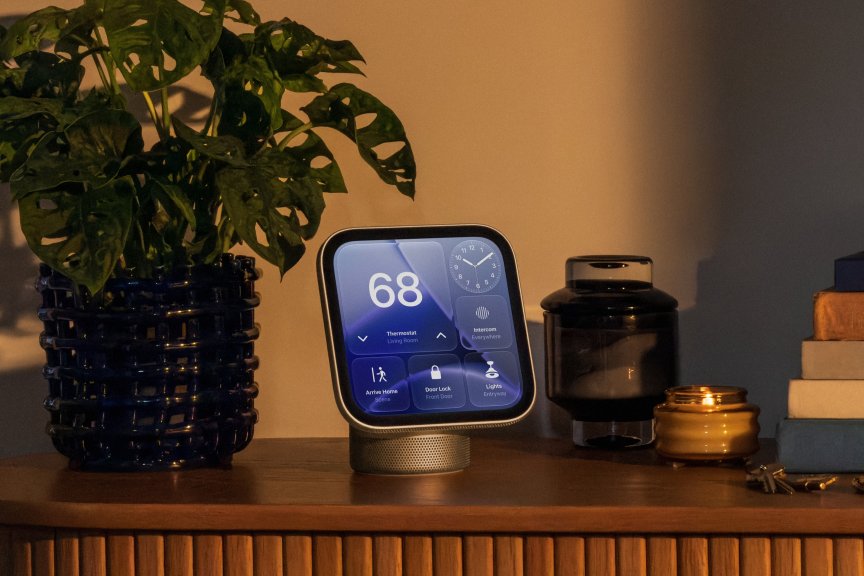
AppleThe HomeView looks great. It immediately reminds me of the Echo Show 11, with the screen mounted on a low-set, domed base housing the speakers. With the discontinued Echo Show 10, Amazon tried an auto-rotating base that followed people as they moved, but it frequently bumped into things, which annoyed me. So I’m glad to see this display is stationary.
At 7 inches, the HomeView is also tiny.
CNET Smart Home and Robotics Editor Ajay Kumar, who tested out the HomeView at a press briefing, reported that others at Apple’s event complained that the screen was too small. Based on my experience with smart displays, I wholeheartedly agree: It’s significantly smaller than any competitor models made for the same spaces. I’m confused as to why Apple added a screen better suited to a bedroom smart clock than to a tabletop display.
Those Liquid Retina details and colors look great, and maybe a screen this size was the only way to keep the price below $300. But it also hampers some of the best uses of a smart display, like making video calls and watching movies. Apple may have demonstrated Pluribus playing on the HomeView, but I can guarantee you won’t want to watch it on a 7-inch screen from halfway across the kitchen. You won’t be able to catch many details of those Siri “Start Cooking” instructions or FaceTimes with the family, either.
There’s a reason both Amazon and Google have been steadily inched up the size of their flagship smart displays. They’re useful as second TVs or video guides and they need the screen real estate to pull it off. I know from experience that screens under 8 inches don’t cut it unless you’re about a foot or two away.
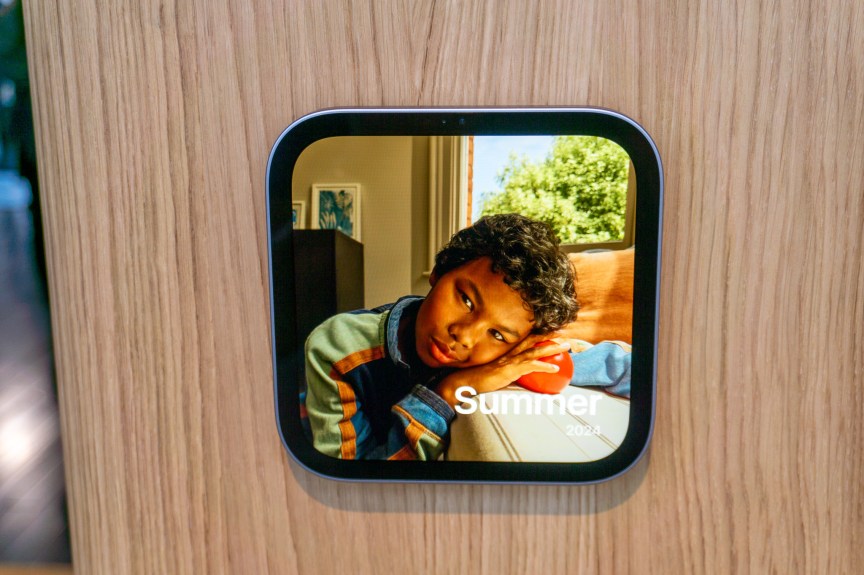
But wait — there are also wall-mounting options. Google Nest falls way behind here, but you can buy the HomeView as a wall mount version, and Amazon offers a few wall-mounted Echo Shows, too. Kumar said the wall-mounted version of the HomeView looks good, but it also requires professional installation to hide the wired power connection, which will drive your bills well beyond $300. While the result looks amazing, the wired plug-in model may be more practical. Keep in mind that the cheapest wall mount Apple sells with the HomeView costs an additional $60.
I’m also worried about the size of the display on a wall mount, too. The Echo Show 21 ($500) offers a 21-inch touchscreen for your home, as well as a built-in Fire TV platform for watching shows. That much screen real estate still feels more useful than a 7-inch display, which seems more like a security system and lighting hub than an all-purpose station.
The battle of voice assistant AIs — I still think Amazon’s is better
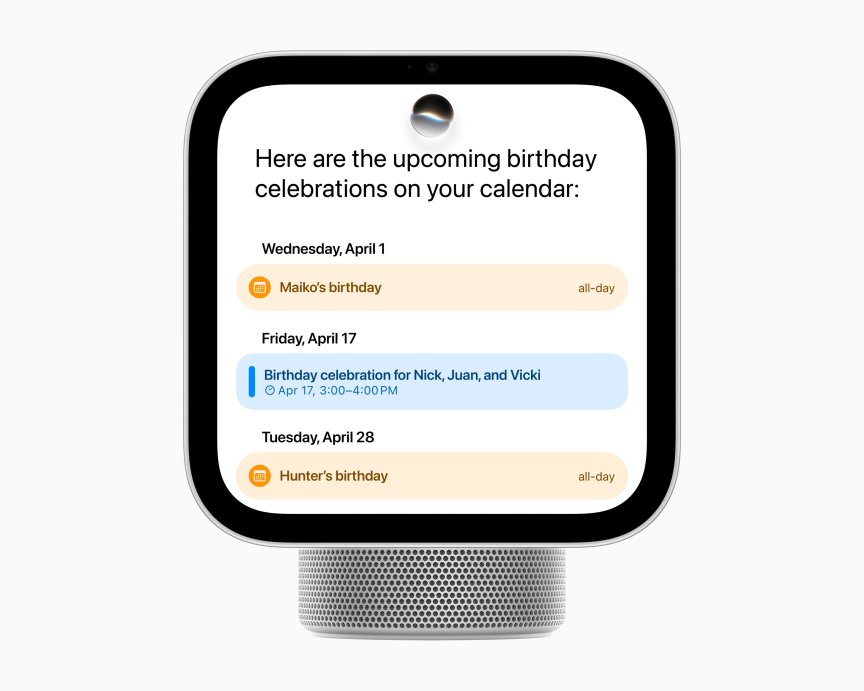
I’ve pitted the big three voice assistants against each other in the past, and recently tested which can predict the weather best. Gemini for Home is fine, if a little boring, and very accurate. Siri is snappy when controlling Apple Home devices, but falls behind elsewhere. Alexa Plus, however, is my favorite for smart display use.
Alexa Plus is chatty by nature, but also offers several different personalities to choose from, an option other voice assistants don’t have. Amazon’s integration with Echo Shows has numerous benefits, like showing you the previous details of your conversation so you can keep it going more easily, or displaying extra information on request. Alexa AI is overconfident and sometimes insists it can do things it can’t, but this is an issue with many LLM chatbots.
My favorite Alexa Plus ability is integration with third-party apps, an area where other voice assistants haven’t caught up yet. You can use an Echo Show and Alexa Plus to order food from GrubHub or Uber Eats without lifting a finger, or arrange for an Uber ride from across the room. You can also buy tickets on Ticketmaster or make reservations with OpenTable via Alexa, and Amazon continues to add new integrations for me to test.
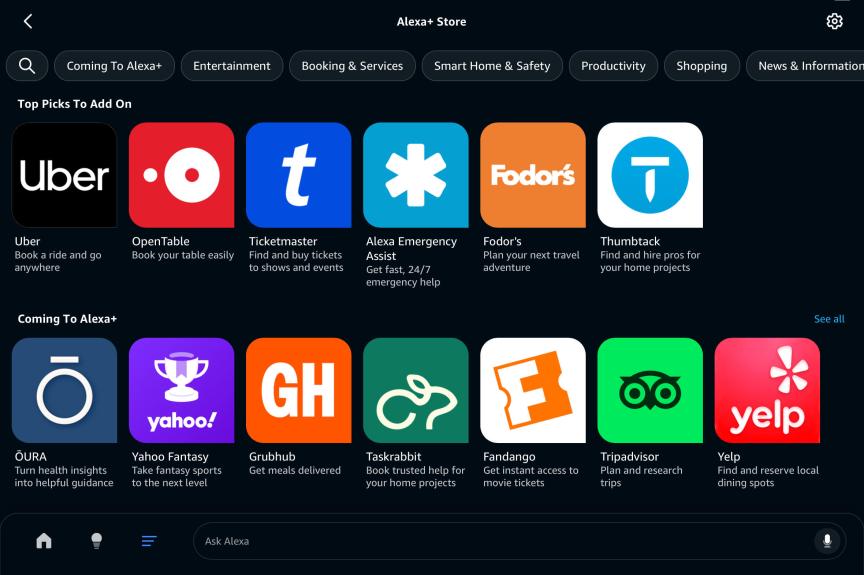
Alexa Plus now offers compatibility with some very useful apps, both new and returning.
Tyler Lacoma/CNET
There’s no indication that Siri AI includes such third-party app support on the HomeView. Apple says, “HomeView supports compatible third-party audio and video apps from your iPhone,” but doesn’t give many details, and I haven’t seen signs that the HomeView/Siri AI combo will support services or bookings like Alexa Plus can.
But Siri’s AI does win on some accounts, carving out capabilities that Alexa Plus and Gemini for Home don’t have. From the examples Apple showed, it looks like Siri can naturally search your email and texting apps to bring up messages, recipes or other info, something the other voice assistants can’t (Gemini only does this on phones, with the right permissions). You can also customize Siri AI in unique ways, like speeding up or slowing down the voice, which I really like for ease of use and accessibility.
I still prefer Alexa Plus overall, with its chatty asides, personalities to play with and connections to useful third-party apps. I’m looking forward to testing Siri AI on the HomeView to see just what it can do and if Apple adds further integrations. Pricing could also work in Siri AI’s favor, depending on what iCloud Plus subscription is needed to enable all features. If you’re not an Amazon Prime member, Alexa Plus costs a steep $20 a month to fully enable, and Gemini for Home is priced similarly, so Apple could step ahead if Siri AI costs are low.
Smart home controls are where Apple’s ecosystem shines
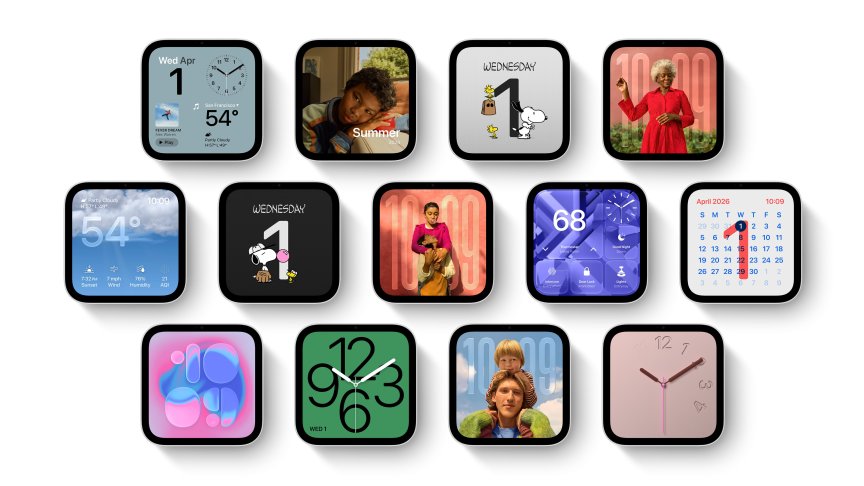
While Kumar explored how the HomeView worked, he noted that he used an Echo Show to control his smart home and said that, “the result is… functional, which is the highest praise I can offer it.”
It’s not an uncommon frustration with the Matter standard and home hubs. Linking multiple smart devices to Alexa or Google hubs and using smart displays for control can be challenging. Interfaces are sometimes wonky, and you can’t always find the settings you want. Devices disappear and need to be reconnected or updated to work again. Voice assistants may not recognize commands that previously worked.
Here, Apple’s tightly knit ecosystem and careful management of the Apple Home app offer a distinct advantage. Kumar saw how the HomeView could effortlessly find and pair with compatible devices, which he compared to setting up a new pair of AirPods. Siri AI can also offer personalization based on facial recognition or manual profile creation, with speedy customization options.
As with HomePods, you can also hand off content between iPhones and the display. Other little Apple tricks, like an instant Find My map displayed to locate missing Apple items, are also included. It already feels more seamless than both the past smart display experiences Kumar and I have had, which is enticing.
The only issue is device support, which tends to be more limited for Apple than other platforms. The company has come a long way in addressing this with its new line of security cameras, a smart lock, and a smart thermostat announced at the Welcome Home event, all clearly made to work with Siri AI and Apple Home. Third-party smart locks also tend to be highly compatible with Apple. Other devices like smart plugs, smart bulbs and third-party security cameras still lag behind, so you may have to look harder to find Apple-friendly models.
Keep in mind that competition also plays a role. Google allows some products, like my Nest cameras and Nest Learning Thermostat 4, to work on Echo Shows with Alexa, but there’s no Apple support. Amazon brands like Ring and Blink will only work with Alexa, not Google or Apple platforms. Choosing the Apple smart home may come with self-imposed limitations.
Always double-check your streaming capabilities
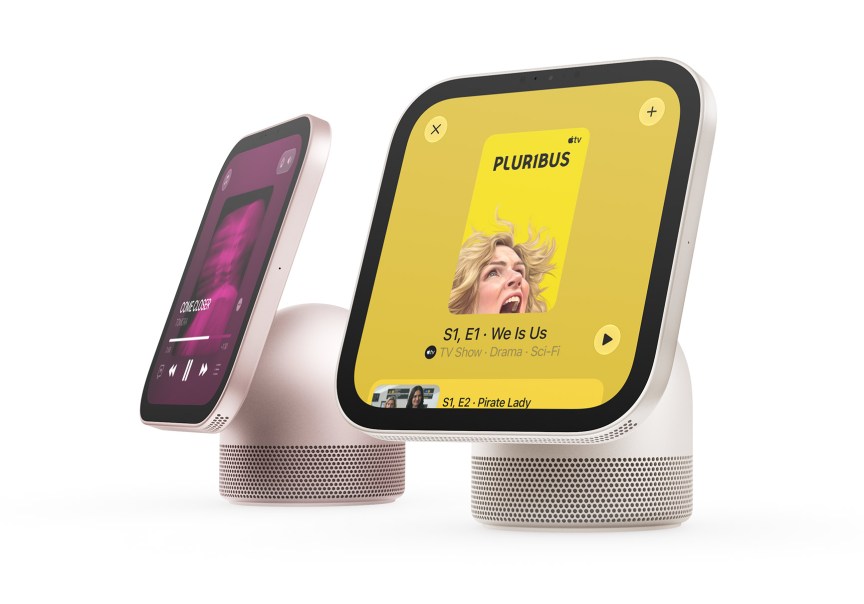
Equipped with two custom full-range drivers, a down-firing woofer and two passive radiators, the HomeView’s audio proved “significantly more impressive than I expected,” according to Kumar, but not quite as good as a full-size HomePod. For reference, the Echo Show 11 has two full-range drivers and a woofer but no passive radiators, and the Nest Hub Max has two 10-watt tweeters and a 30-watt woofer.
All three can fill a standard room with sound, but in my experience, the most important part by far is whether they support the music streamers you use.
Apple Music is a given for the HomeView, but again, Apple is light on integration details and intent on pulling people into all things Apple. While Apple mentioned the new HomePod Mini 2 supports TuneIn Radio, iHeartRadio, and Audacy, it doesn’t mention any specific services for the HomeView, so if you rely on other apps, you may want to check for confirmation. Based on Apple’s past HomePod support, only Deezer and Pandora have been easy to add in addition to the listed services.
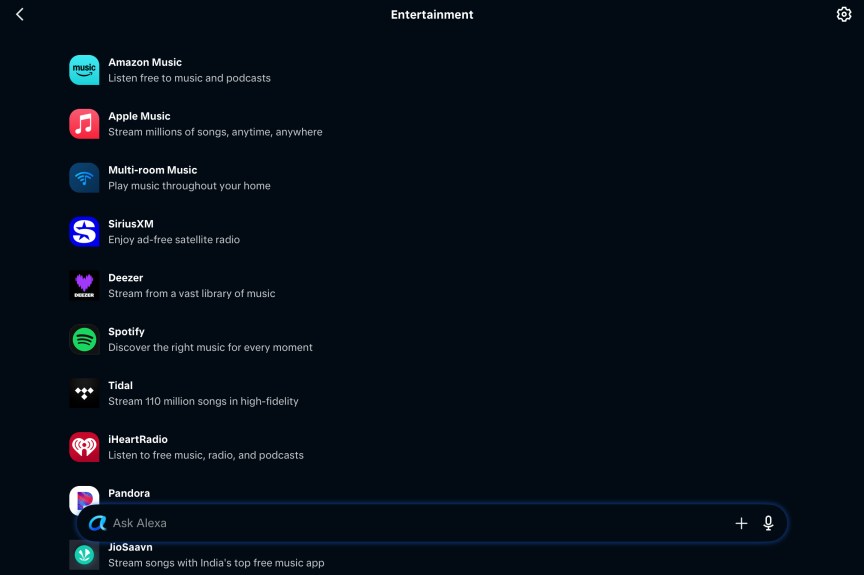
Meanwhile, my Echo Show supports not only Amazon Music and Apple Music but also Deezer, Spotify, Tidal, Pandora and SiriusXM. Likewise, my Google Nest Hub supports not only YouTube Music, but Apple Music, Deezer, Spotify, Pandora, Amazon Music, TuneIn Radio, and iHeartRadio. As you can see, for maximum music streaming options, you may want to choose a smart display other than the HomeView, or wait to see if other apps add compatibility.
If you don’t mind the small screen, the same caveat applies to video streaming services, but even more so. The HomeView is highly focused on Apple TV, and I don’t know what other streaming apps will be available, if any.

Google’s Nest Hubs, meanwhile, can handle a variety of apps through Google Casting, including Netflix, Disney Plus, Hulu, Paramount Plus (I assume Skydance support will be included), Sling, Viki, Starz, Tubi and others. That makes it one of the best smart display choices for watching videos.
My Alexa app is currently a mess and desperately needs redesigning, but through my Echo Show touchscreen, I can access Prime Video, Netflix, Hulu, YouTube, Peacock, TikTok, Disney Plus, HBO Max and many more. Larger Show models gain native support for Fire TV, which enables all kinds of streaming apps, too.
Pricing is comparable, but Apple’s display will still cost the most
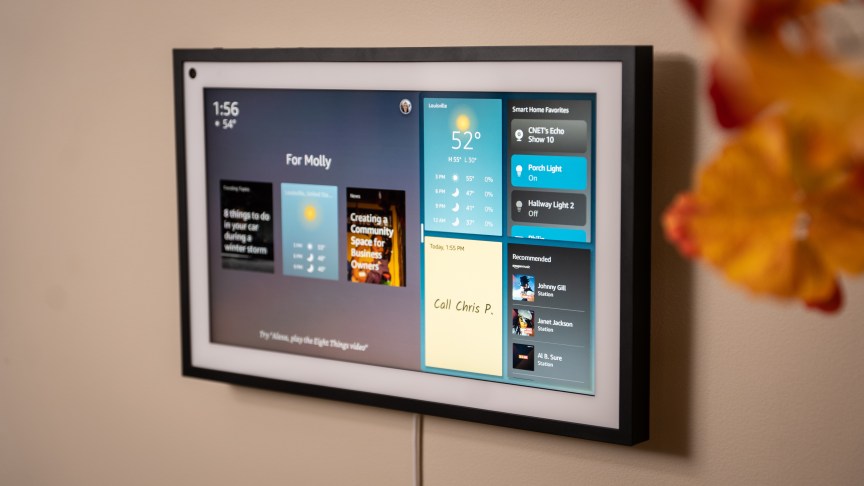
Some of Apple’s home prices shocked me. $400 for a floodlight security camera is wild when competitors charge around half as much for similar capabilities. But aside from the small screen, HomeView’s $299 price is in line with other current flagship smart displays. Amazon’s Echo Show 11 starts at $250, but sees discounts around the holidays, something Apple is more averse to. Bumping up to wall-mounted Show 21 brings costs to $500. Google’s Nest Hub Max, while increasingly hard to find these days (I’m hoping Google will release a new Hub soon) is available from around $230 to $250 at various stores.
So while you’ll pay more for a HomeView, it’s not as huge a jump as you see with some other Apple products.
One more thing: Don’t forget about iPads
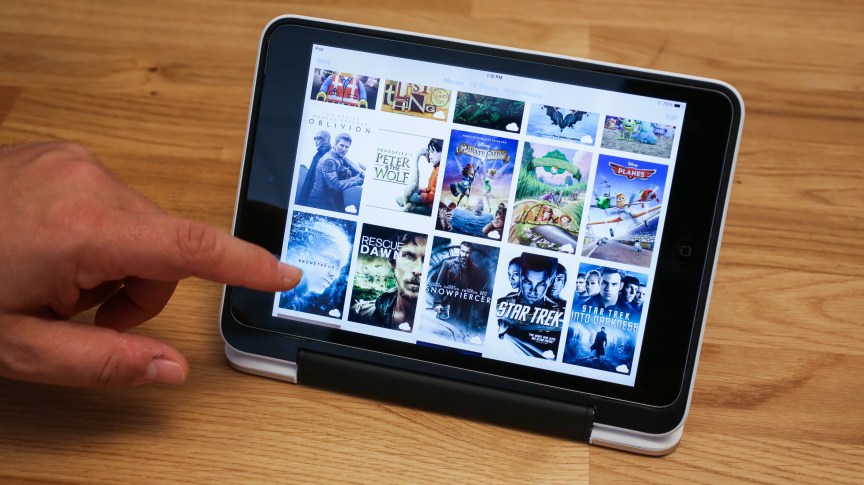
Of the big three display brands, Apple has by far the most complete support for its tablet computers across the various iPad lines. That introduces an alternative I must bring attention to: You could just use an iPad.
Add a prop cover as a stand, and an iPad could serve many of the same roles as a HomeView on various counters and tables, but with a much larger screen and much more compatibility with apps you already use. Plus, you can pack it away or switch it to other purposes, like serving as a small laptop or a workout companion, when you’re at home.
Two downsides to the iPad approach. First, they cost a lot more, starting around $750 for the iPad Air and $600 for the iPad Mini. Second, unless you’re an AirPods owner or have a HomePod to connect to, sound will always be better on a HomeView.
I’ll provide more details as we get to testing the HomeView and Apple’s other new home products in the coming months, but for now, you should have enough to decide whether you want one for the holidays or are prepared to wait.

With degrees in business management, literature and technical writing, Tyler takes every opportunity to play with the latest AI technology, push smart devices to their limits and occasionally throw cameras off his roof, all to find the best devices to trust in your life. He always checks with the renters (and pets) in his life to see what smart products can work for everyone, in every living situation.
Living in beautiful Bend, Oregon, gives Tyler plenty of opportunities to test the latest tech in every kind of weather and temperature. But when not at work, he can be found hiking the trails, trying out a new food recipe for his loved ones, keeping up on his favorite reading or gaming with good friends.
See full bio
Read the full article here